
Coloring Games: Color & Paint
RV AppStudiosEducational
4.41.06K Reviews
- Version
- Varies With Device
- Installs
- 100.00M
- Age Rating
- Everyone
Screenshots
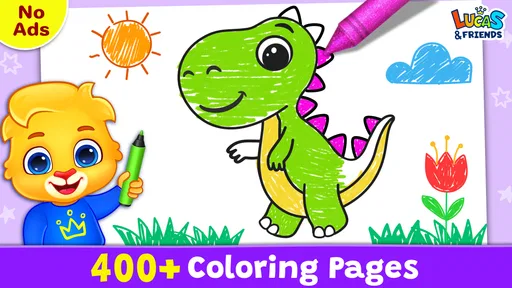
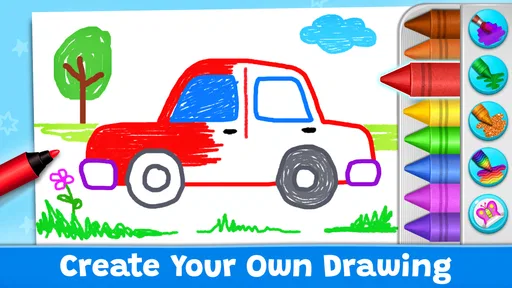
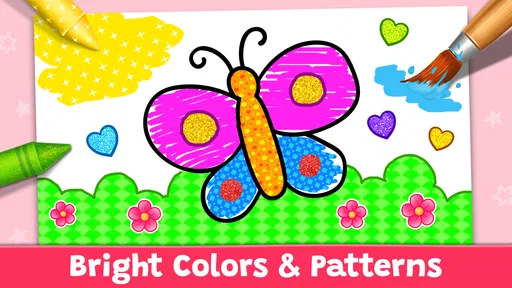
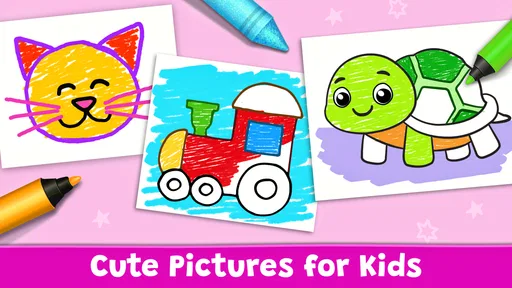

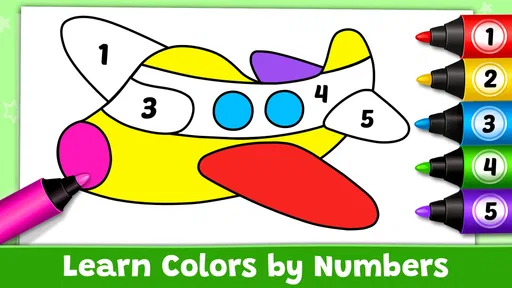
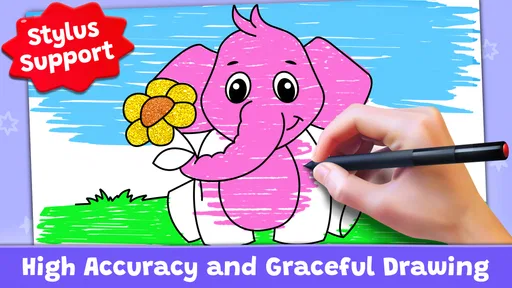
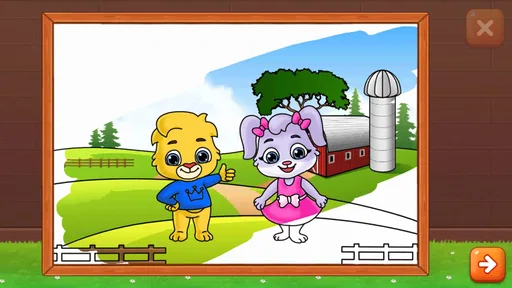
Our Review of Coloring Games: Color & Paint
 Analysis by Appyee
I judge a coloring game less by how many pictures it offers than by what happens after a child opens it: is there an inviting first task, a clear sense of progress, and enough variety to make returning feel worthwhile? Coloring Games: Color & Paint is an educational game from RV AppStudios that puts coloring, painting, neon drawing, and learning activities together. It is free, rated for Everyone, and has reached over 100 million installs, with a 4.4 average from around 108,000 ratings. That broad appeal makes it worth considering, though I see it as a casual creative activity rather than a game built around deep challenges or a long progression campaign.
Small first goals make it easy to begin
The useful early goal here is simply to choose an activity and make something. That sounds modest, but it suits the audience: a child does not need to learn complicated rules before starting, and an adult can open it for a brief creative break without committing to a long session. The coloring-book format gives the activity an obvious endpoint—a picture that feels finished—while painting and neon drawing offer a different way to use color when filling a conventional page is not what the player wants.
I would introduce it by letting a child pick the picture or activity, rather than choosing for them and turning the session into an assignment. That small choice can make the first minutes feel like play instead of a lesson. If the goal is to encourage experimentation, ask them to try an unexpected color combination; if the goal is a calm pause, let them work at their own pace without judging the result. The game’s educational framing is a useful bonus, but I would not expect it to replace a structured lesson or a hands-on art activity.
Progress is creative, not a score chase
The clearest progress signal is the artwork taking shape. A child can see where they started and what they have completed, which is more immediately understandable than an abstract score. Saving progress also matters in ordinary family life: a coloring session can end when dinner is ready or a ride reaches its stop, without requiring the player to finish everything at once. The zoom function has a practical role too. It gives a child a closer view when working on small areas, though it can also make a picture feel slower if they spend too much time moving around instead of coloring.
There is a helpful distinction between making progress inside a picture and advancing through a larger game. This experience appears most rewarding when the player enjoys the act of coloring and the visible result, not when they are looking for a demanding sequence of levels, competitive targets, or a strong narrative reason to keep going. I would set that expectation early with a child who usually prefers games that announce a score or reward after every move. Here, the satisfaction is more personal: “I made this” is the point.
A gentle difficulty curve, with room for patience
Different kinds of drawing and coloring can make the experience feel less repetitive, and a range of picture styles—from simple subjects to more intricate designs—can give players options to match their mood or confidence. A younger child may enjoy choosing colors freely, while an older child might spend longer on details. The custom-color option is appealing for experimentation, but it can also slow down a child who is still deciding what to do. I would treat it as an invitation to explore, not a requirement to perfect every shade.
That flexibility is not the same as a carefully tuned difficulty ladder. A more intricate image can demand patience, but it does not necessarily teach a player a new technique step by step. If a child becomes frustrated with detailed sections, I would suggest switching to a simpler picture or a different activity rather than insisting they finish. For a child who wants guided drawing lessons, practice exercises, or steadily harder puzzles, a dedicated art-learning app or a more structured educational game may be a better fit.
What encourages another session—and what does not
For me, the strongest reason to return is that coloring fits into short gaps in the day. A child can work on a picture, pause, and come back later; an adult can use a few quiet minutes to decompress. Sharing a completed image can also make the result feel social, especially when a child wants to show a relative what they made. Those are natural reasons to reopen a creative app, rather than pressure to maintain a streak or beat a timer.
That low-pressure approach is a strength, but it also means the game may not hold every player’s attention for long. Children who need explicit goals, frequent challenges, or a sense of unlocking new stages may move on once the novelty of coloring wears off. The app is best offered as one option in a mix of activities, not as a promise of endless engagement. I would also keep an eye on whether a child is enjoying the drawing itself or simply tapping through pictures quickly; the former is where the educational and creative value is most likely to come through.
How it fits among coloring alternatives
Compared with a basic digital coloring book, this game’s appeal is its combination of coloring with painting, neon drawing, and educational activities. That variety can help when a child is ready for something beyond filling in a picture but is not asking for a complex art tool. On the other hand, someone who wants precise brush control, layers, or a workspace aimed at making polished illustrations would likely be happier with a dedicated drawing app. A physical coloring book remains better for screen-free time and the feel of pencils or crayons; this is more convenient when a device is already at hand and a child wants to try colors without setting out supplies.
A practical tip is to use the different activity styles to match the moment rather than treating every session as a race to finish a page. A quick neon drawing can suit a brief wait, while a more detailed coloring picture is better when there is time to settle in. If a child is sharing a device with siblings, agree on whose turn it is before starting a picture; the option to save progress makes interruptions easier, but it does not remove the need to manage turns. These small choices help the game work as a calm activity instead of another source of screen-time negotiation.
Who I would recommend it to
I would recommend it to families looking for an approachable creative game for children, and to adults who enjoy low-stakes coloring without needing professional tools. Its Everyone age rating makes it broadly suitable as a family-friendly choice, while its free price makes it easy to try. The game was released on November 6, 2019, and version 1.9.0 requires Android 6.0 or later. Those details are useful when checking whether an older Android device can run it, especially if you are setting it up for a child rather than your own phone.
I would be more cautious if your child is easily pulled into spending money inside games. The free experience offers plenty to do, but additional features and designs are available through in-app purchases. I would look at the purchase settings on the device before handing it over, and make clear that optional designs are not necessary for enjoying the basic activity. That is a more practical way to handle the temptation than assuming a child will distinguish every paid option on their own.
The progression verdict
Coloring Games: Color & Paint works best when its goals stay small: choose an activity, experiment with color, and enjoy a picture coming together. The variety of creative modes, save-and-return convenience, and zooming for detail give it useful flexibility, while its relaxed pace avoids turning art into a contest. In exchange, players looking for a strong challenge curve, frequent unlock-driven rewards, or a polished drawing studio may find it too lightweight. I would choose it for a child who likes making pictures and needs a simple, easy-to-pause activity, but I would pick a structured learning tool for lessons and a dedicated art app for more control.
When I stumbled upon Coloring Games: Color & Paint, I wasn't quite sure what to expect. But let me tell you, this app is an absolute gem if you're looking for a relaxing and creatively engaging experience. Whether you're a seasoned artist or just someone who loves to dabble in colors, this app has something for everyone.
The Art of Unwinding
First things first, the app interface is incredibly intuitive. You open it up, and it feels like you're stepping into a vibrant world of creativity. There are tons of categories to choose from, ranging from intricate mandalas to charming animals. What I love most is the variety — it keeps things fresh and exciting.
Features That Stand Out
One of the standout features of Coloring Games: Color & Paint is its extensive color palette. You can choose from a variety of shades and even create your own custom colors. This flexibility allows you to personalize each piece of art in a unique way.
Another cool feature is the app’s ability to save your progress. It’s perfect for those moments when life interrupts your coloring flow. Just save it and pick up right where you left off. Plus, the app offers a zoom function that lets you get up close and personal with those intricate details.
Why You'll Love It
If you're anything like me, you’ll appreciate the stress relief that comes with coloring. It’s like therapy, but with more colors! This app allows your mind to wander and unwind, making it a perfect escape after a long day.
Plus, sharing your finished artwork is a breeze. You can easily post your masterpieces on social media or send them to friends and family. Trust me, they’ll be impressed with your newfound skills!
A Few Things to Keep in Mind
While the free version of the app offers plenty of options, there are additional features and designs available through in-app purchases. They’re not necessary to enjoy the app, but if you fall in love with coloring like I did, you might find yourself tempted!
Overall, Coloring Games: Color & Paint is a delightful way to spend your free time. Whether you’re looking to relax, unleash some creativity, or simply pass the time, this app has got you covered. So go ahead, grab your virtual brush, and start coloring your world a little brighter!
Privacy and Permissions
See what permissions an app requests and how it handles your data.
- Other
- view network connections, full network access, run at startup, control vibration, prevent device from sleeping, Google Play license check
Verdict
Strengths of Coloring Games: Color & Paint
- Wide variety of coloring pages available.
- User-friendly interface for all ages.
- Supports offline mode for on-the-go fun.
- Regular updates with new content.
- Encourages creativity and relaxation.
Limitations of Coloring Games: Color & Paint
- Contains ads that can be intrusive.
- Limited features in free version.
- Occasional lag on older devices.
- In-app purchases can be pricey.
- No option for custom color palettes.
Other Releases by RV AppStudios
View All
Drawing Games: Draw & Color
Educational4.3

Baby Games: Piano & Baby Phone
Educational4.4

Puzzle Kids: Jigsaw Puzzles
Educational4.4

Math Games: Math for Kids
Educational4.5
Similar Picks in This Category
View All
Little Panda Policeman
BabyBus4.0

Monster Trucks Game for Kids 2
Raz Games4.1

Little Panda's Chinese Recipes
BabyBus4.4

Little Panda's Restaurant
BabyBus4.4

Little Panda's Ice Cream Games
BabyBus4.3

Baby Panda Care
BabyBus3.8
You May Also Like
View All


Frequently Asked Questions
What devices are compatible with Coloring Games: Color & Paint?
Coloring Games: Color & Paint is compatible with most Android and iOS devices. Ensure your device has the latest operating system updates for optimal performance. Check the app store's compatibility section to confirm specific device requirements before downloading.
Does Coloring Games: Color & Paint require an internet connection?
While Coloring Games: Color & Paint can be enjoyed offline, some features, such as accessing new coloring packs or updates, require an internet connection. For the best experience, connect to Wi-Fi or mobile data to explore all available content.
Are there in-app purchases in Coloring Games: Color & Paint?
Yes, Coloring Games: Color & Paint offers in-app purchases. These may include additional coloring pages, tools, or ad-free experiences. While many features are free, purchasing premium content can enhance your experience. Always check your device settings to manage in-app purchases.
Is Coloring Games: Color & Paint suitable for children?
Coloring Games: Color & Paint is designed to be family-friendly and suitable for children. It offers a range of simple to complex designs catering to various age groups. Parental controls can help manage in-app purchases and ensure a child-friendly experience.
How can I save or share my creations in Coloring Games: Color & Paint?
After finishing a coloring page, you can save your artwork directly to your device's gallery. The app also provides options to share your creations on social media platforms or via messaging apps. Look for the share icon within the app to access these features.
Play our best games!


